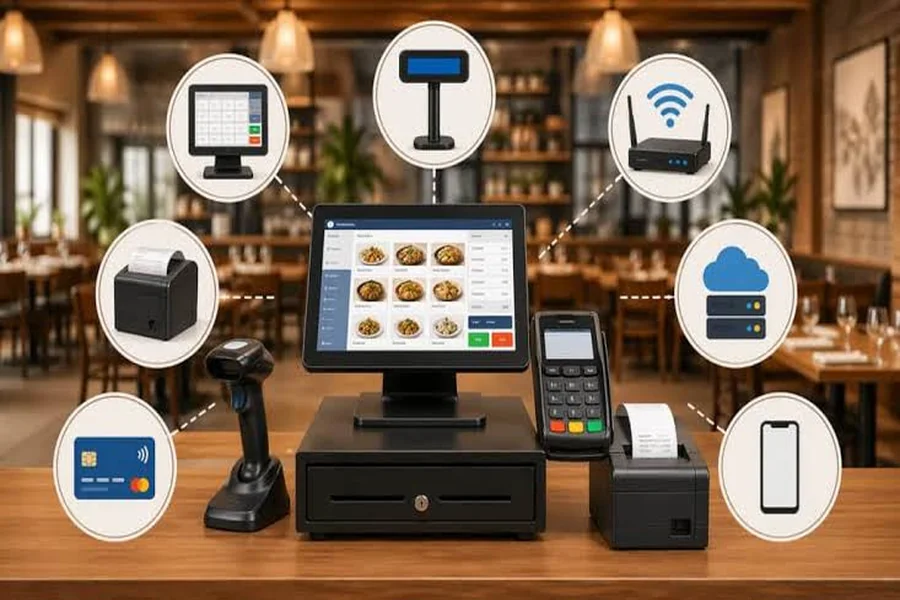
The internet drops mid-service. It happens. Before you scramble, the question isn’t whether your POS can queue transactions — it’s whether you actually talked to your processor about what’s permitted before that moment arrived. Reviewing your restaurant payment processing options before an outage — not during one — is what separates a managed situation from a chaotic one. A stored order on a screen is not a confirmed payment. That distinction matters more than most managers realize until they’re staring at a settlement report that doesn’t add up.
What “Offline Mode” Actually Means — and What It Doesn’t
Store-and-forward can let a supported POS store an eligible card transaction and submit it for authorization after connectivity returns. Clover documents this queued-payment workflow. Order storage, check synchronization, and sales-data synchronization are separate capabilities; their availability does not establish that card payments can be accepted offline. Confirm payment support for the exact deployment.
Confirm transaction limits, queue duration, supported card types, and settlement timing for your deployment, processor contract, and device configuration. Obtain these terms before relying on offline payments.
In a store-and-forward workflow, a transaction shown as queued has not yet received issuer authorization. It can be declined after reconnection, after the guest has left. Confirm who bears that loss and how staff should handle the failed payment under the processor’s procedure.
Offline chip authorization and store-and-forward are different mechanisms. Do not assume a chip card or terminal can authorize a payment without a live connection. Ask the processor which mechanism your configuration supports and what the terminal status means.
What to Agree With Your Processor Before the Next Outage
Have this conversation before an outage.
Call your processor’s support line or account manager and get answers to these specific questions in writing:
- Is store-and-forward enabled on my specific device configuration? Not all deployments have it active by default.
- Is there a per-transaction amount threshold above which offline transactions will not be accepted or will be flagged for review?
- What card types are excluded? Prepaid cards, certain international cards, and some chip-only cards may behave differently offline.
- What is the maximum queue duration before queued transactions expire or require manual intervention?
- What happens to duplicate transaction flags if the same card is run twice during an outage — and who resolves that?
- What is the escalation number for a processing outage that exceeds a single shift?
Write the answers down. Print them. Put them in the manager’s binder next to the POS terminal. During a Friday dinner rush with a dead connection, nobody is logging into a support portal to read documentation.
Who Makes the Call During an Outage
Assign this before it happens. One person per shift owns the payment decision during an outage. That’s it. Not the bartender, not the expo — the shift manager on duty.
That person’s responsibilities during a connectivity loss:
- Confirm the POS has entered offline/store-and-forward mode (check the terminal status indicator — don’t assume).
- Notify staff of any transaction limits or card-type restrictions your processor confirmed in advance.
- Communicate the situation to guests at the point of order, not at the point of payment.
- Log the outage start time, which tables were served, and approximate transaction values queued.
- Contact the processor’s outage line if connectivity doesn’t return within the window your processor defined.
At 9 PM on a Saturday close, your shift manager shouldn’t be guessing. They should be pulling the one-page reference sheet you already prepared. If that sheet doesn’t exist yet, that’s your action item from this article.
What to Tell Guests — and When
Tell guests about payment restrictions when they order. If your processor permits store-and-forward, explain: “Our connection is down. We can queue eligible card payments, but approval will only be known after reconnection. We can also explain the payment alternatives available today.” Do not promise that the issue or delay will be brief.
Do not tell guests their card “went through” if the transaction is only queued. Say: “Your payment is queued for authorization after our connection returns; approval is still pending.” If a guest requests a written record, provide the amount and pending status without recording full card details. Offer a receipt through the supported workflow after payment is confirmed.
For a split check, ask how the system records each queued payment and how staff should reconcile a card declined after reconnection. A store-and-forward queue does not establish support for real-time partial authorization. Confirm the supported split-payment workflow with your processor before an outage.
Testing Your Backup Connection Before a Busy Shift
If your restaurant has a cellular backup or secondary ISP, verify that the POS can use it. If it does not, include the absence of a backup in your outage plan.
Schedule a provider-approved backup test outside service, with an authorized manager and network or POS support available. Use an isolated test environment and approved test transactions where possible. If a production failover test is necessary, agree on a maintenance window, rollback plan, and safeguards for pending payments before changing the connection. Document the result.
Check the following before each high-volume service period if your location is in an area with connectivity instability:
- Primary connection status (router dashboard or ISP app)
- Cellular backup signal strength at the POS terminal location
- POS connection and offline-mode status, checked without interrupting service
- Processor escalation number posted at the terminal
A phone showing a cellular connection does not establish that the POS backup will work. Have the provider validate backup capacity during a planned test outside service.
Verifying Settlement After Connectivity Returns
Connectivity restores. Good. You’re not done yet.
After reconnection, review the queued-payment and transaction-status records against the outage log. Distinguish pending, approved, declined, and failed submissions; settlement may occur later. Follow the processor’s reconciliation procedure and escalate missing items before retrying them, to avoid duplicate charges.
Review suspected duplicates against transaction IDs, amounts, times, and processor records. Do not assume every duplicate attempt will be flagged automatically on sync. Ask support how to resolve uncertain or duplicate payments before submitting another charge or refund.
Confirm whether voids, refunds, and adjustments are supported during an outage and how pending actions are reconciled after reconnection. Do not assume that a queued sale means these other operations are available.
I work with Smart Payment Solutions, and recommend confirming offline capability, activation requirements, and staff procedures with your processor before an outage. The applicable configuration and contract determine what your location can do.
The One-Page Outage Reference Sheet
Every location should have this printed and posted at the manager station. It should include:
- Processor name and outage support phone number
- Confirmed offline transaction limit (per your processor agreement)
- Card types excluded from offline processing at your deployment
- Backup connection type and how to verify it’s active
- Name of the shift role responsible for payment decisions during an outage
- Post-reconnection checklist: review queued-payment status, compare to the outage log, resolve declines and suspected duplicates, confirm adjustments, then verify settlement under the processor’s timetable
Keep it to one page. If it takes more than a page, it won’t get read during a live outage. Practical beats comprehensive every time when the connection drops at 7:30 PM on a Friday.
The offline capability your POS documents is only useful if you’ve confirmed it’s configured for your deployment, agreed on the terms with your processor, and trained your shift manager on what to do. An outage plan that lives in someone’s head isn’t a plan — it’s a liability.