Editorial update · Updated October 19, 2026. This page has been rewritten; historical models and events are identified in the text.
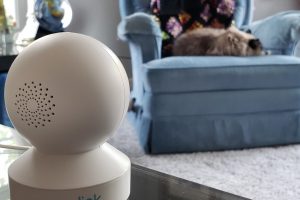
The Reolink E1 Pro is an indoor Wi-Fi camera, so using it near a nursery raises a different set of questions from choosing a dedicated monitor with its own parent unit. Image quality matters, but the more important comparison is whether the connection and viewing routine fit how the household actually supervises the child.
Identify the hardware version
Reolink has published E1 Pro information for different hardware generations. An older official specification sheet describes a four-megapixel model, while the current product page advertises a five-megapixel version with a different feature set. Do not assume an older camera gains every current feature through a software update.
Check the label, device information and matching support documents before comparing resolution, detection functions or storage options. A retailer title without a hardware identifier can be too vague for deciding whether two offers contain the same camera.
Test the connection under normal conditions
A clear picture during setup does not establish reliability from every room. Try the intended viewing device where it will normally be used, with the doors closed and the household network operating as usual. Observe what happens when the app is closed, the phone changes networks or power is interrupted.
Decide how you will notice a lost connection. A family that needs a dedicated, continuously available display may prefer that workflow over relying on a phone that also handles calls and other apps. Neither arrangement should replace direct, appropriate supervision.
Keep camera features in proportion
Pan and tilt, two-way audio and detection features can be convenient, but they are not clinical measurements or proof that a baby is safe. Do not interpret a quiet app, a motion event or a missed alert as a medical assessment. If a child requires medical monitoring, discuss that need with the clinical team rather than assigning it to a consumer security camera.
Make placement part of the safety plan
Keep the camera and power cord out of a child’s reach and secure the equipment as instructed. Do not put a device or loose cable inside the sleep space for a better viewing angle. Check the arrangement again as the child begins to reach, pull or climb.
Follow current safe-sleep guidance independently of the camera. CPSC’s guidance centers on an appropriate firm, flat sleep surface without added soft items. A video feed does not make a sofa, inclined product or cluttered sleep space an appropriate alternative.
Review accounts, recording and access
Use a unique account password, keep supported software current and understand which people have access to the camera. Review the exact product’s storage and remote-access settings instead of assuming all recordings stay in one place. Decide whether recording is needed at all for the intended task.
Before selling or passing on the camera, follow Reolink’s reset and account-removal instructions and address any removable storage. Keep the original support information so future setup does not depend on an old screenshot or a stranger’s app tutorial.
Who may find this approach useful?
A Wi-Fi camera can suit a household that already understands its network and wants flexible viewing. A dedicated monitor can be a better fit when a simple separate display and fewer phone dependencies are the priorities. Compare the supervision routine first, then the feature list. This revised article does not claim that a camera prevents sleep-related harm or substitutes for an adult checking the child.
Explore the next question
Understand the historical inclined-sleeper accessory recall · Report a website correction